
Delete your account
Open Settings → Delete Account. Newer accounts can delete directly after two typed confirmations. Older accounts without an auth token show an email-request modal instead: send the prefilled email with subject “Delete account”, the message “I want to delete my account” and your public Account ID. Opening the email alone does not delete anything.
Delete your account in the app
If the app shows the direct deletion flow rather than an email request, connect to the internet and follow these steps:
- Open Golazo and tap the gear icon on the home screen to open Settings.
- Tap Delete Account. Read the warning about losing your data and cancelling subscriptions separately, then choose to continue.
- Type “Delete account” (capitalization does not matter), then continue to the last warning.
- Read the final warning. Type “Delete” (capitalization does not matter), then tap the final delete button.
- Wait for the account-deleted screen. Your account is only deleted once the request succeeds; if an error appears, follow the message and try again.
Changed your mind? Cancel at any warning. Nothing is deleted until you submit the final confirmation.
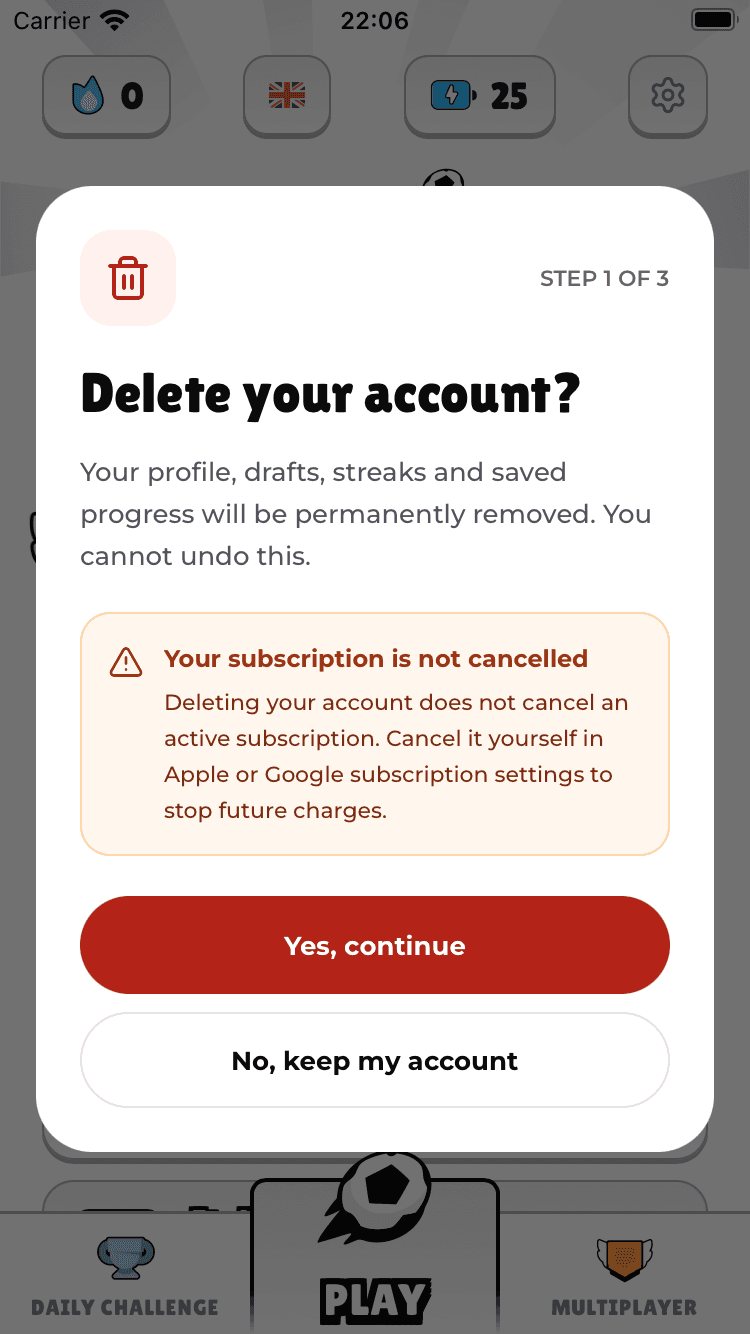
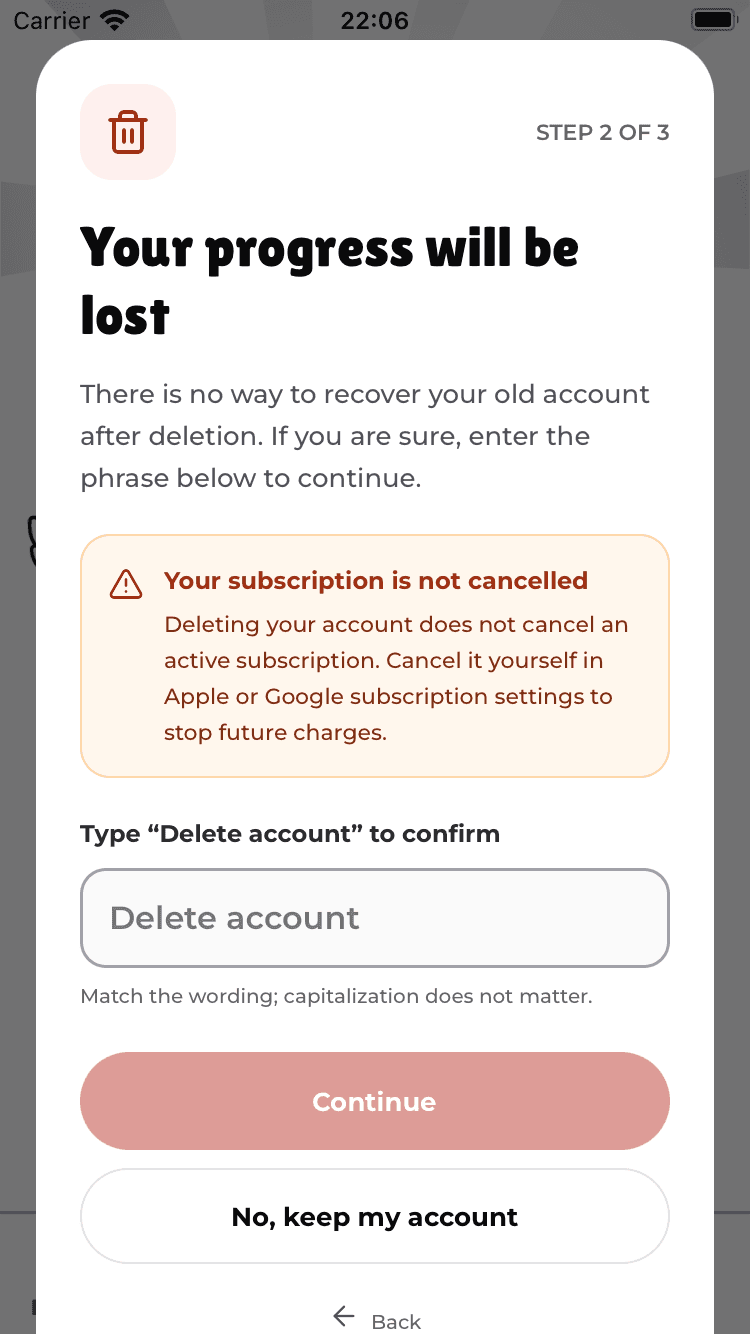
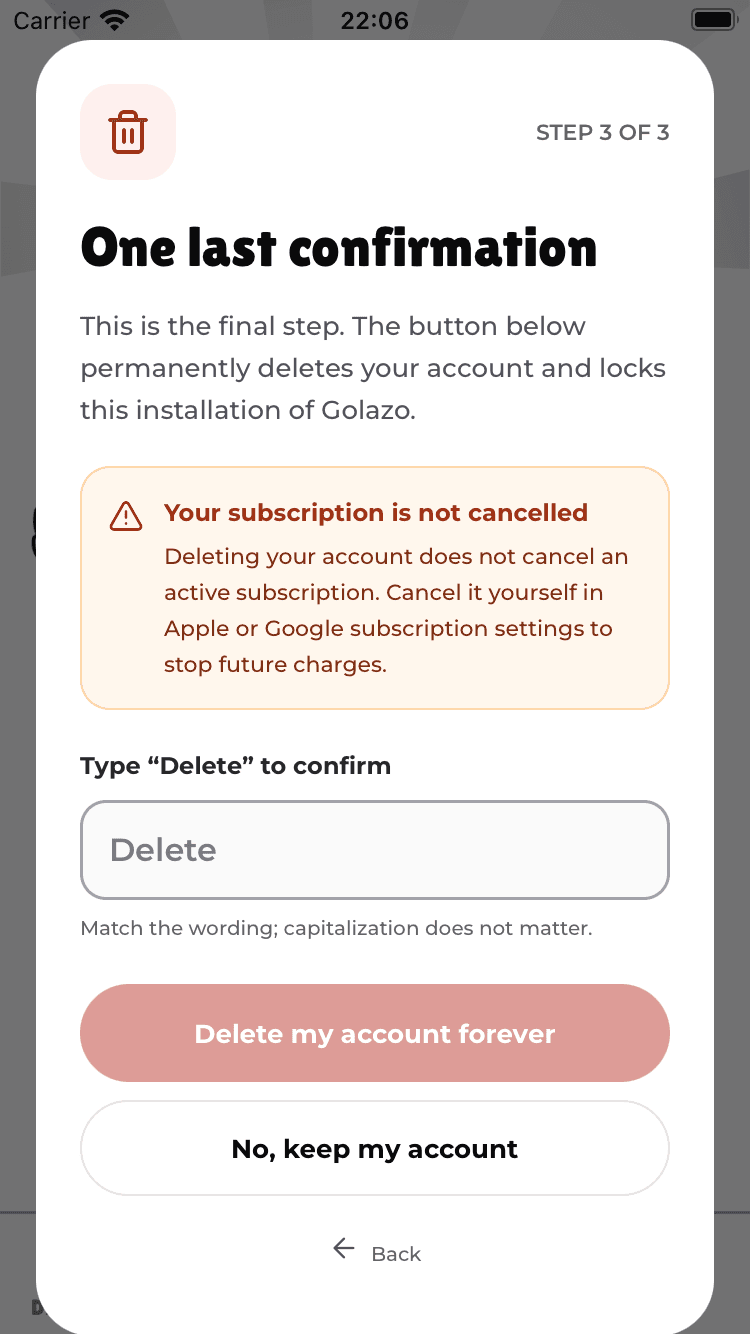
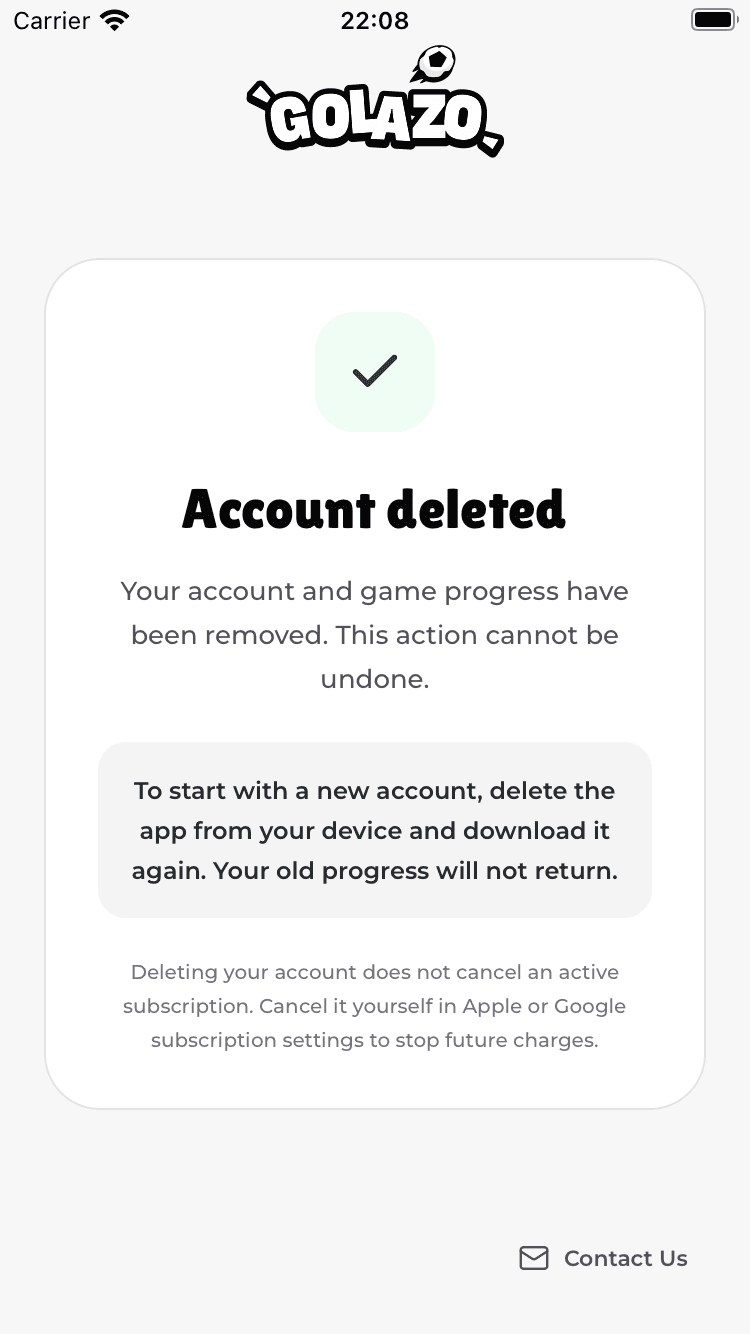
Screenshots show the English app. The confirmation phrases are “Delete account” and “Delete” in every language.
What happens afterwards?
The app stays on a plain account-deleted screen, including after reopening it. To play with a new account, uninstall and download Golazo again. This does not restore the deleted account or its progress. Use Contact Us on that screen if you need help.
What gets deleted
- Your active profile details, including display name and country flag
- Your Golazo progress, streaks, draft history and social links
- Your registered push notification token
A minimal deletion marker prevents the old account id from being reused. Deletion in Golazo does not automatically erase records held by payment, analytics or other providers, or copies already shared or downloaded. Contact us for additional privacy requests. Some records may be retained for legal or anti-abuse purposes.
Cannot access the app?
Email support@golazoapp.io with the subject “Delete account”. Include your public user ID (user_id) if available: tap the Account ID at the bottom of Settings to copy it. Do not send a device ID or authentication token. If your user ID is unavailable, explain the situation so we can help; we may need additional information to verify ownership.
For email requests, we respond within 30 days and confirm the outcome by email. Only accounts with an auth token use direct in-app deletion.
Important: subscriptions are cancelled separately
Deleting your account does not cancel an active Golazo Subscription. Apple and Google manage subscriptions. To stop being charged:
- iOS: Settings → Apple ID → Subscriptions → Golazo → Cancel.
- Android: Google Play → Profile → Payments & subscriptions → Subscriptions → Golazo → Cancel.